Bobblehead TV3.0.0
Continue to app
Free Version
Publisher Description
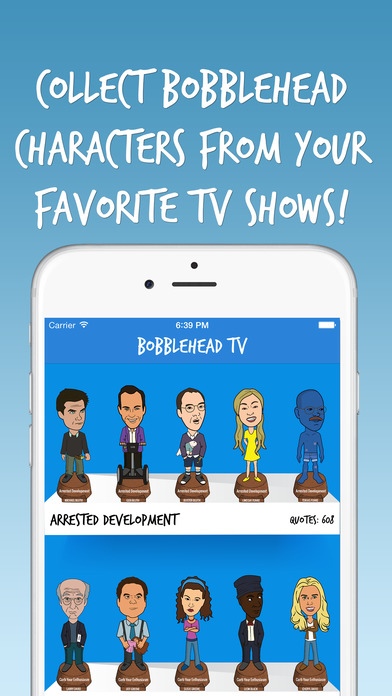
Bobblehead TV brings all your favorite TV characters right to your pocket!
Enjoy their infinite wisdom, hilarious quotes, witty banter and funniest video clips while on-the-go in one easy to use app. You can even share screenshots of your favorite moments with friends and family at the click of a button.
So what are you waiting for?!? Collect all your favorite TV Character Bobbleheads now!
Includes hit shows like...
Arrested Development
Friends
How I Met Your Mother
It's Always Sunny in Philadelphia
Modern Family
Parks & Rec
Seinfeld
The League
The Office
...and many more!
Over 8000 character quotes!
Over 700 video clips!
Requires iOS 9.0 or later. Compatible with iPhone, iPad, and iPod touch.
About Bobblehead TV
Bobblehead TV is a free app for iOS published in the Recreation list of apps, part of Home & Hobby.
The company that develops Bobblehead TV is NitWit Studios. The latest version released by its developer is 3.0.0.
To install Bobblehead TV on your iOS device, just click the green Continue To App button above to start the installation process. The app is listed on our website since 2014-06-29 and was downloaded 7 times. We have already checked if the download link is safe, however for your own protection we recommend that you scan the downloaded app with your antivirus. Your antivirus may detect the Bobblehead TV as malware if the download link is broken.
The company that develops Bobblehead TV is NitWit Studios. The latest version released by its developer is 3.0.0.
To install Bobblehead TV on your iOS device, just click the green Continue To App button above to start the installation process. The app is listed on our website since 2014-06-29 and was downloaded 7 times. We have already checked if the download link is safe, however for your own protection we recommend that you scan the downloaded app with your antivirus. Your antivirus may detect the Bobblehead TV as malware if the download link is broken.
How to install Bobblehead TV on your iOS device:
- Click on the Continue To App button on our website. This will redirect you to the App Store.
- Once the Bobblehead TV is shown in the iTunes listing of your iOS device, you can start its download and installation. Tap on the GET button to the right of the app to start downloading it.
- If you are not logged-in the iOS appstore app, you'll be prompted for your your Apple ID and/or password.
- After Bobblehead TV is downloaded, you'll see an INSTALL button to the right. Tap on it to start the actual installation of the iOS app.
- Once installation is finished you can tap on the OPEN button to start it. Its icon will also be added to your device home screen.
Program Details
System requirements
Operating systems
iOS
Download information
File size
112.2 MB
Total downloads
7
Pricing
License model
Free
Price
Version History
Here you can find the changelog of Bobblehead TV since it was posted on our website on 2016-09-27. The latest version is 3.0.0 and it was updated on Soft112 on 07 October, 2026. See below the changes in each version:
